
Accessing saved email messages without installing an email client can be challenging, especially when users need to view individual EML or EMLX files quickly. EML Reader Online provides a simple browser-based solution that allows users to open and read EML files without downloading additional software or creating an account.
Available at EML Reader Online is a free online EML viewer designed to make email file accessibility easier across different devices and operating systems. Users can simply select or drag and drop an EML file into the viewer to read its contents directly in their web browser.
Read EML Files Without Installing Software
EML files store individual email messages, including sender and recipient information, subject lines, message content, and attachments. However, users may not always have access to the email application originally used to create or save these files.
EML Reader Online addresses this challenge by allowing users to view EML files directly in their browsers. It eliminates the need to install an additional email application or configure complicated settings.
The viewer supports major web browsers, including Google Chrome, Microsoft Edge, Mozilla Firefox, Safari, and Brave. It also works across Windows, macOS, Linux, ChromeOS, Android, and iOS devices.
Privacy-Focused Email File Viewing
One of the key features of EML Reader Online is its local file processing approach. Instead of uploading email files to an external server, the viewer processes them directly within the user’s browser using JavaScript.
This approach helps users maintain control over their email data while viewing potentially sensitive messages and attachments. Files are not uploaded to or stored on EML Reader’s servers, and users do not need to register or provide personal information to use the online viewer.
View Email Headers, Message Content, and Attachments
EML Reader Online provides access to essential email information in a readable format. Users can examine:
- Email Headers: View sender, recipient, date, and routing information.
- Message Body: Read the complete email content in a structured format.
- Attachments: Preview supported attachments within the viewer or save them to the device.
- Inline Content: Access inline attachments and other email elements.
These capabilities make the tool useful for individuals, professionals, and users who need to inspect saved email messages for reference, documentation, or general email review.
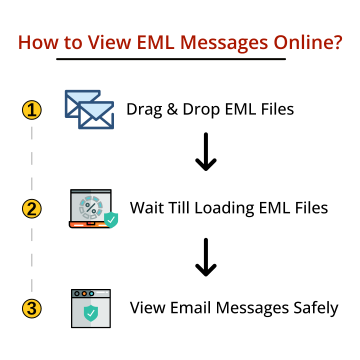
Simple Three-Step Process to Open EML Files Online
The online viewer follows a straightforward process:
- Select an EML File: Visit EML Reader Online and select an EML file from your device or drag and drop it into the viewer.
- Preview the Email: Click the Preview Message option to display the email headers and message body.
- Access Attachments: Review available attachments, preview supported files, or save them to your device.
No account registration, software installation, or complicated configuration is required.
Additional Access Through Chrome Extension
Along with its browser-based viewer, EML Reader also offers a Chrome extension that allows users to open EML files directly from their browser. This provides another convenient way to access saved email messages without repeatedly navigating to the website.
For users who regularly work with large collections of EML files or require advanced email management capabilities, an offline desktop email viewer is also available.
About EML Reader:
EML Reader provides online and desktop solutions for viewing EML email files. Its online viewer helps users access individual EML messages through a web browser without uploading files to external servers. With features such as email header inspection, message preview, attachment access, and cross-platform compatibility, EML Reader aims to simplify the process of reading saved email messages.